If you are wondering how to declutter digital files, you probably do not need another productivity app. You need fewer decisions, clearer defaults, and a short process you can repeat when life gets busy. A desktop covered with screenshots, a Downloads folder full of tax forms, and three cloud services holding similar photos are not personal failures. They are signs that digital storage has grown without a maintenance plan.
The goal is not to make every folder beautiful. The goal is to find important material quickly, remove obvious noise, and know where new files belong. A good system is one you can still live with six months from now.
Start with a short digital file audit
Before deleting anything, spend 15 minutes looking at the full landscape. Check your computer, phone, iCloud or Google Drive, OneDrive, Dropbox, external drives, and any shared family folders. Write down where files actually live. This simple inventory often reveals the main problem: people are not short on storage; they are storing the same category in four different places.
This first step in how to declutter digital files should be observational, not destructive. Look for large folders, duplicate photo libraries, old installers, exported videos, and folders named New, Miscellaneous, or Final Final. On a Mac, Finder can sort by size and date. On Windows, File Explorer provides similar views. Google Drive and OneDrive also show storage-heavy categories, although their menus can change over time.
Choose one working location for active personal files. That might be iCloud Drive for an Apple household, Google Drive for a Gmail-centered workflow, or OneDrive for someone already using Microsoft 365. You can keep backups elsewhere, but active documents need a predictable home.

Delete the easy clutter first
Do not begin with sentimental photographs or years of work documents. Start with files that have low emotional value and little future use. Remove duplicate downloads, old software installers, temporary exports, abandoned design drafts, podcast files, and screenshots that no longer communicate anything useful. A 10-minute cleanup of Downloads can produce more relief than an ambitious weekend project.
Use a three-question test: Do I know what this is? Will I need it again? Could I recreate or download it easily? If the answer is no, delete it. If you are uncertain, move the file to a temporary folder called Review Later with a date in the name, such as Review Later - March 2026. Give that folder a 30-day expiration date. Indefinite hesitation is just clutter with a different label.
When learning how to declutter digital files, remember that deletion is not the only option. Archive finished projects, export useful information from an app before closing the account, and place legal, financial, or medical records in a clearly labeled folder. Do not delete records you are required to retain simply to make a storage meter look better.
Build a folder structure you can remember
A useful folder system should work when you are tired and searching quickly. I prefer a shallow structure with broad categories rather than a maze of nested folders. For example, a personal drive might contain Household, Money, Health, Work, Photos, Travel, and Archive. Inside Money, folders such as Taxes, Insurance, Banking, and Receipts are usually enough.
Name files so the filename carries useful information without requiring you to open it. “2025-04 Auto Insurance Renewal” is easier to search than “scan0047.pdf.” For projects, use a consistent pattern such as date, subject, and status: “2026-03 Kitchen Repair Estimate - Paid.” Dates in year-month-day order sort naturally, and a status word such as Draft, Sent, Signed, or Paid prevents guesswork.
This is the practical center of how to declutter digital files: make the next action obvious. You do not need a perfect taxonomy. You need a place for the electric bill, the passport scan, the school form, and the current resume. If a folder requires a paragraph of instructions, it is probably too complicated.
Handle photos, videos, and duplicates carefully
Photos deserve a slower process because they often contain memories that cannot be replaced. Start by consolidating copies rather than deleting aggressively. Decide which library is your primary collection, then compare other locations against it. Apple Photos, Google Photos, and some desktop utilities can identify likely duplicates, but review suggested matches before removing them. Similar images are not always identical; a burst photo may include one frame you actually want.
Videos consume storage quickly, especially phone clips and exported edits. Keep the original recording, the finished version, or both when the project matters. Delete accidental recordings, repeated social-media exports, and low-resolution copies after confirming the good file opens correctly. For family photos, create a separate backup before a major cleanup. A cloud-synced library is convenient, but synchronization is not the same as an independent backup.
If how to declutter digital files has become an emotional roadblock, set a small target: one month, one event, or one phone album. Finishing 200 photos is better than endlessly planning to organize 20,000.
Make cloud storage less expensive and confusing
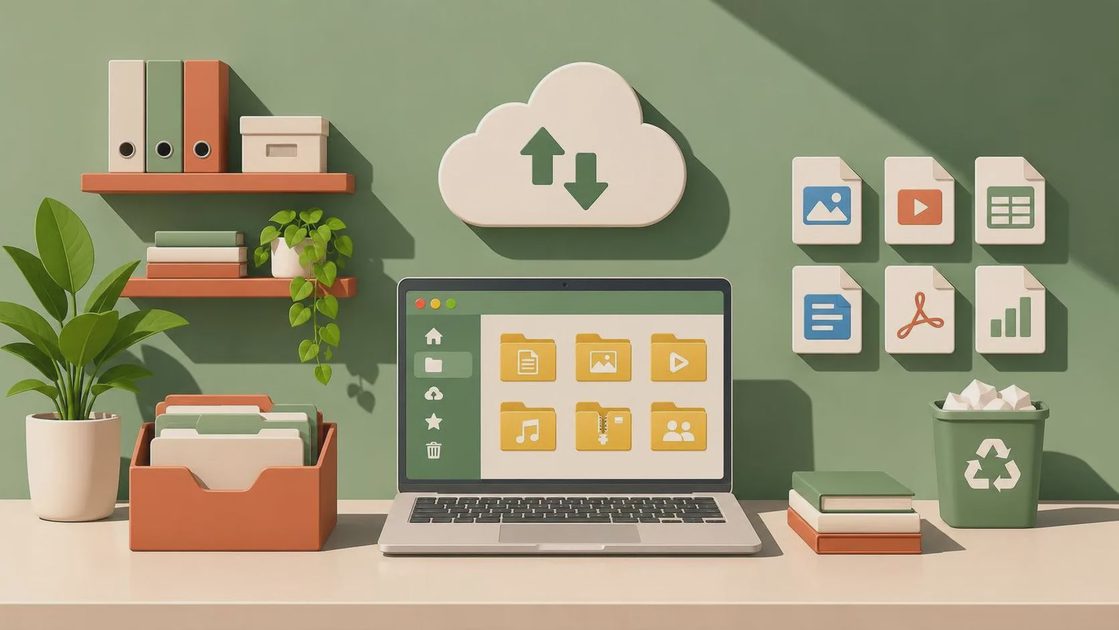
Cloud storage becomes costly when several services quietly hold overlapping data. Review your plans and identify what each one is doing. One service might store active documents, another might back up a phone, and a third might contain old photos. That can be reasonable, but three subscriptions holding the same camera roll is usually wasted money and attention.
Before canceling a plan, download or transfer important data and confirm that the destination contains complete files. Open a few documents, check photo dates, and verify that shared folders still work. Keep the old service active for a short transition period if the data is important. A $2 to $20 monthly plan is easy to ignore, but recurring charges become part of the system you must maintain.
How to declutter digital files also means documenting ownership. Record which service contains the main library, which account pays for it, and where the backup lives. Store that note in a password manager or a secure household document. This prevents the common problem of a family member discovering an old account only when storage is full.
Create a maintenance habit that survives busy weeks
The setup is easy. The maintenance is the test. Once a week, spend five minutes emptying Downloads, renaming important new files, and deleting obvious screenshots. Once a month, review large files and subscription storage. Every three months, inspect backups and remove temporary review folders that have reached their deadline.
You can make this nearly automatic by changing defaults. Set your phone to upload photos to one primary library. Save work documents directly into the correct cloud folder instead of the desktop. Use a browser download location you recognize. Add a simple “To File” folder for items that need attention, but give it a weekly review time so it does not become a digital junk drawer.
A final part of how to declutter digital files is resisting new complexity. Do not install a specialized organizer unless it solves a problem your current system cannot handle. Search, folders, dates, and backups are enough for most households. Ask, “What problem is this solving?” before adding another tool.
A realistic 30-day reset
On day one, inventory your storage locations and choose a primary home for active files. During the first week, clean Downloads, the desktop, screenshots, and temporary exports. In week two, create broad folders and rename the documents you use most often. In week three, review photos, videos, and duplicate cloud libraries. In week four, confirm backups, cancel unnecessary storage plans, and write down your maintenance schedule.
Do not wait for a completely free weekend. A calmer digital life comes from small decisions repeated at reasonable intervals. The best result is not an empty desktop. It is opening your computer six months from now and knowing where the important things are.