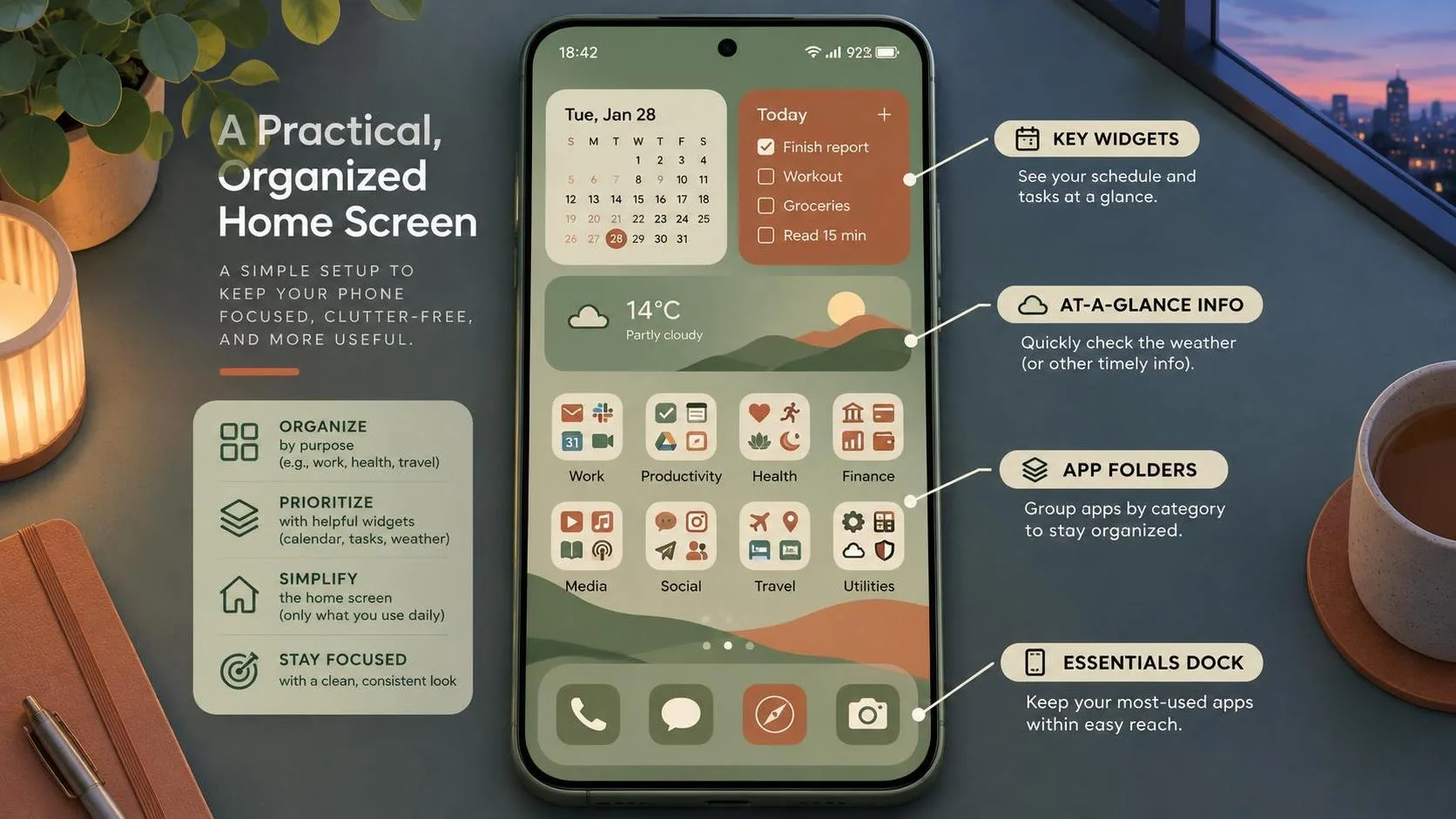
A crowded Android phone creates small delays that add up: swiping through five screens to find a banking app, dismissing notifications before work, or searching for a photo you saved last week. The best phone organization ideas android users can adopt do not require a new launcher, a paid productivity app, or an entire Sunday of maintenance. They start with clearer defaults and fewer decisions.
I approach phone cleanup the same way I approach email and cloud storage. First ask, “What problem is this solving?” Then make the useful action easier and the distracting action less visible. The setup should take less than an hour, and the system should still work during a busy Tuesday.
Start with an honest app inventory
Open the app drawer and look at every installed app, not just the ones on your home screen. If you have not opened an app in 60 or 90 days, it deserves a question before it deserves storage. Delete unused games, duplicate shopping apps, old travel tools, temporary event apps, and services you no longer pay for.
Do not confuse an account with an app. Removing the app usually does not delete your account, subscription, or cloud data, although you should confirm cancellation separately. For paid services, review Google Play subscriptions before deleting anything. A forgotten $5 or $10 monthly charge is a financial organization problem, not merely a phone problem.
Next, sort what remains into three groups: used every week, useful occasionally, and rarely needed. Keep weekly tools easy to reach. Move occasional tools into the app drawer or a single folder. For rare tools, uninstall and reinstall when needed. Most Android users can find an old airline, tax, or home-improvement app again without preserving it forever.
Build a home screen with jobs, not categories
Many people organize by vague categories such as “stuff,” “tools,” and “apps.” Those labels do not help much when you are standing in a grocery aisle. Organize the home screen around actions you actually perform.
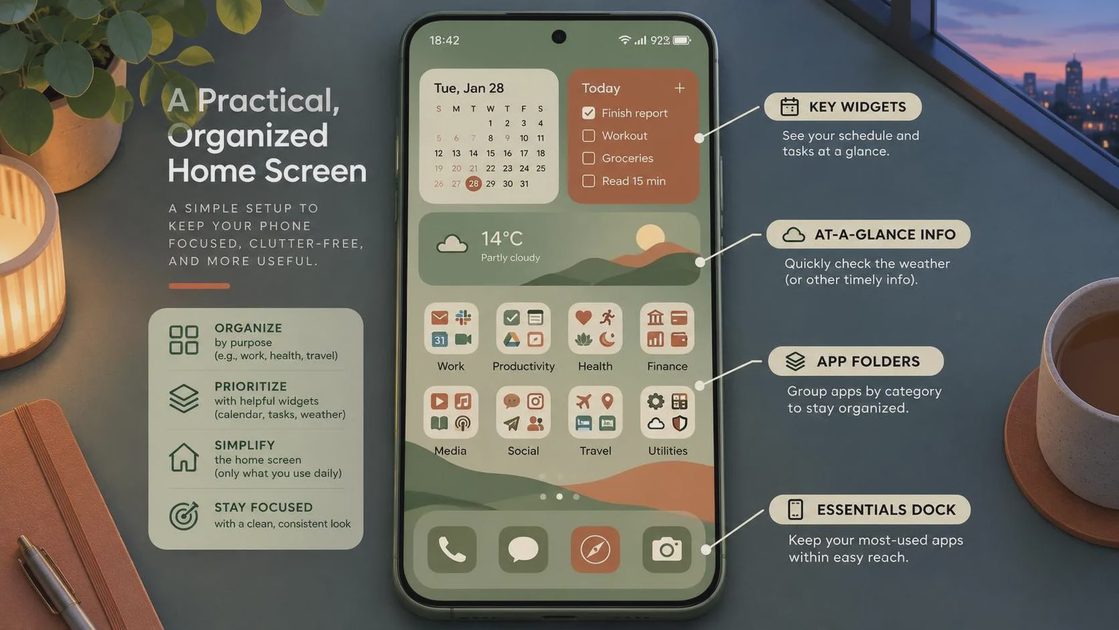
A practical first screen might include Phone, Messages, Calendar, Maps, Camera, and your main notes or task app. Add one weather widget only if it helps you make a daily decision. A second screen could hold work tools, money tools, travel, and household services. Keep the dock limited to the four or five apps you use without thinking.
The strongest phone organization ideas android users can test involve reducing visual choices. Leave open space around important icons instead of filling every position. A less crowded screen makes unfamiliar notifications and urgent tasks easier to notice. It also reduces the reflex to open an entertaining app simply because its icon is sitting in front of you.
On most Samsung Galaxy, Google Pixel, and Motorola phones, you can press and hold an empty area to adjust home-screen settings, widgets, and layout. The exact labels differ by manufacturer, but the principle is consistent: use the first screen for frequent actions, not for displaying everything installed.
Use folders sparingly and name them clearly
Folders are useful when they answer a specific question. “Money” can hold your bank, credit card, budgeting, and payment apps. “Home” can hold your utility, hardware store, grocery, and smart-home apps. “Travel” can hold airline, hotel, transit, and map tools. These names are faster to understand than clever labels such as “Life Admin.”
Aim for roughly four to eight apps in a folder. If a folder contains 20 icons, it has become another app drawer. Put the most frequently used app in the folder’s upper-left position if your launcher makes that easy to recognize. You can also place a frequently used folder on the first screen, but avoid creating a folder for every minor activity.
A useful test is whether you can find an app while walking through a parking lot without stopping to inspect every icon. If not, rename the folder, move the app, or remove it. Organization should reduce attention demands, not create a miniature filing system that requires constant interpretation.
Make notifications earn their place
Notifications are often the largest source of phone clutter. Open Settings, then Notifications, and review apps one by one. Keep calls, direct messages, calendar reminders, banking alerts, delivery updates, and security notices where immediate attention is useful. Disable promotional alerts, routine social updates, shopping recommendations, and games.
You do not have to choose between every alert and none. Android lets many users separate notification categories, so a retail app might keep order updates while silencing sales messages. Gmail can separate important mail from marketing and social categories. A calendar can remind you about an appointment without sending repeated prompts for every minor task.
For work, consider a schedule rather than constant interruption. Android’s Do Not Disturb settings can allow calls from selected contacts and silence most other alerts during meetings or sleep. The goal is not perfect silence. It is making interruptions predictable enough that you can focus without checking the screen every few minutes.
Phone organization ideas android owners overlook often involve notification history. If you repeatedly swipe away an alert without acting, that is evidence the alert is not useful in its current form. Turn it off, reduce its priority, or change the app’s settings. Your attention is part of the system being organized.
Add widgets only when they replace a step
Widgets can make an Android phone more useful, but a screen full of widgets is still clutter. Keep one if it replaces an action you perform frequently. A calendar widget can show the next appointment. A weather widget can support clothing or travel decisions. A task widget can display the three items you intentionally chose for today.
Avoid widgets that constantly refresh information you rarely use. News, stock prices, social feeds, and promotional panels can turn the home screen into a stream of unfinished decisions. If you need to open an app to interpret the widget anyway, it may not be saving time.
The same rule applies to search bars and quick settings. Keep shortcuts for actions such as scanning a document, starting a timer, sharing your location, or paying with your phone only if you use them regularly. The best phone organization ideas android users can keep long term are selective, not elaborate.
Create a maintenance routine that survives real life
The setup is easy. The maintenance is the test. Once a month, spend 10 minutes checking recently installed apps, notification permissions, downloads, screenshots, and Google Play subscriptions. Delete temporary files and duplicate screenshots that no longer have a purpose. Review the Downloads folder because receipts, PDFs, and images often collect there unnoticed.
Once a quarter, review your home screen after a normal busy period. An app added for a school event, work project, vacation, or medical appointment may no longer belong. Remove it rather than letting temporary needs become permanent clutter. If you change phones, use the transition as an opportunity to restore only the apps you still use.
Back up photos, contacts, and important files before a major cleanup. Android backup settings vary by device, and a backup is not the same as a complete archive of every file. Confirm that your photos are syncing to the service you actually use, such as Google Photos, before deleting local copies.
A simple Android reset plan
Set a 30-minute timer. Spend the first 10 minutes deleting unused apps and checking subscriptions. Spend the next 10 minutes rebuilding the first home screen around frequent actions. Use the final 10 minutes to silence promotional notifications and remove widgets that do not save a step.
Then live with the arrangement for two weeks before changing launchers or downloading an organization app. Notice where you still hesitate. If you cannot find a work tool, create one clearly named folder. If you keep opening social media by habit, move it off the first screen and disable its nonessential alerts. Solve the observed problem instead of designing a theoretical perfect phone.
The most reliable phone organization ideas android users can follow are modest enough to maintain. A good system is one you can still live with six months from now. Fewer apps, calmer alerts, and a home screen built around real actions will usually do more than an elaborate setup that depends on constant enthusiasm.