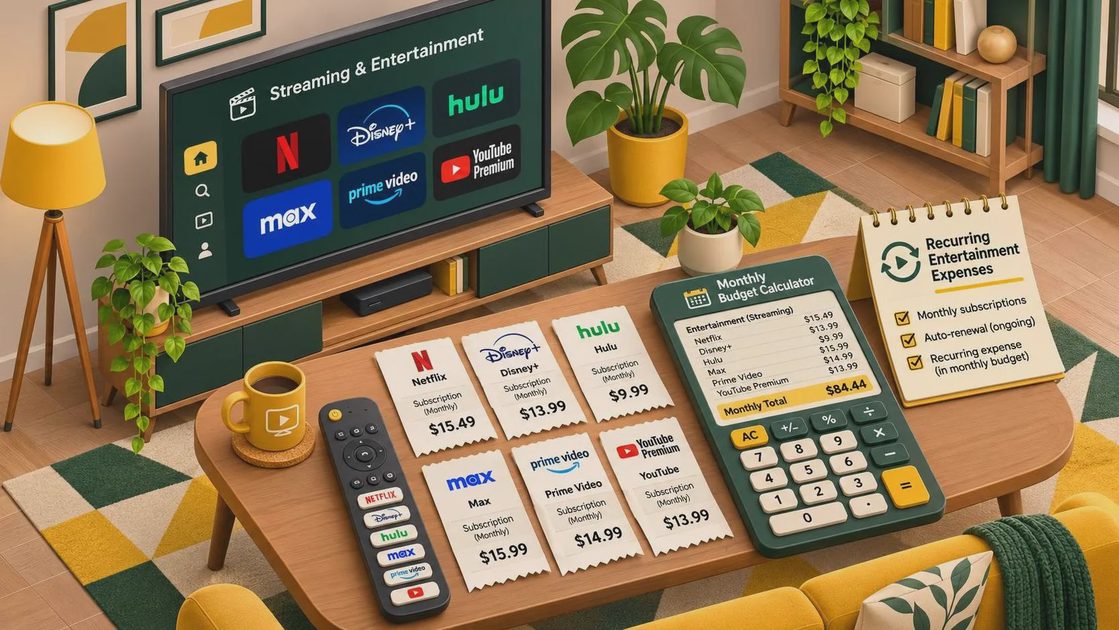
The cost of streaming services is whatever your household actually pays across video, music, live TV, add-ons, and annual renewals—not just the advertised price of one plan. Add those charges together, convert any annual fees to a monthly amount, and you have a useful starting number. For an illustration, four services at $15 a month would total $60 a month, or $720 a year, before taxes and price changes.
Exact plan prices change, and a dependable, up-to-date price list for every service isn’t available here. Check the billing pages for the plans you use before making a decision. The good news is that you don’t need a perfect industry-wide comparison to find out what streaming is costing you.
Find the cost of streaming services you already pay for
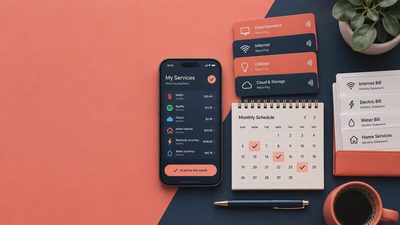
Start with the last two or three months of bank and credit card transactions. Search for familiar service names and for charges from Apple, Google, Amazon, or a TV provider that may collect payment on a service’s behalf. Then scan your email for renewal receipts and subscription confirmations.
Write down the service, the amount charged, the renewal date, and where you manage it. A note can be as simple as “video service, $15 monthly, renews on the 12th, billed through Apple.” Use your actual amount rather than the example. Include a note about who uses it or what you watch; that small detail helps when it’s time to make changes.
Next, look back a full year for annual charges. Divide each annual payment by 12 and add that number to the monthly total. If an annual plan costs $120, for example, count it as $10 a month. Add sales tax where it applies, since the amount on your statement is what leaves your account.

Don’t overlook streaming charges tucked into another bill. A mobile or internet plan may include a service, offer it at a discount, or bill for an optional subscription. Check whether the benefit expires, whether you had to activate it, and what happens to the streaming account if you change the underlying plan. An included benefit is useful, but it isn’t a separate cash saving if you wouldn’t have subscribed otherwise.
Compare plans by the features you actually use
Advertised starting prices rarely tell the whole story. Compare the specific tiers you would choose, including whether they have ads, allow downloads, or support the number of simultaneous streams you need. Features and restrictions vary by service and plan.
An ad-supported tier can make sense if you mostly watch in the evening and don’t mind interruptions. A higher tier may be worth paying for if downloads matter on a commute or if several people regularly watch at once. Don’t pay for a feature just because it sounds convenient; check whether anyone uses it.
Live TV deserves its own line in the budget. A package with live channels can cost much more than a single on-demand subscription, particularly once add-ons or taxes are included. Before keeping it for one sport or channel, check the schedule and whether that content is actually available in your area on the plan you’re considering. A lower-cost service is no bargain if it doesn’t carry the games or programs you want.
Also look for overlapping subscriptions. Paying for two video services isn’t inherently wasteful, but two plans that nobody opens are doing the same job: quietly renewing. Ask what each one is solving. The answer might be a weekly show, music for the workday, or something your household watches together. Those are useful reasons to keep a charge.
Lower the cost of streaming services without constant switching
Pick one or two services as your default and rotate others around specific shows, seasons, or events. For example, subscribe for a month when there’s something you’re ready to watch, then cancel the renewal. This works best when the savings justify the small task of signing up again later.
Before canceling, check the account page for the effective end date and any consequences for downloads, profiles, watchlists, or promotional pricing. Cancellation often stops the next renewal rather than immediately ending access, but the service’s terms control. Take a screenshot or save the confirmation email so you have a record.
If you subscribed through a third party, cancel through the company that bills you. Deleting an app or signing out generally does not cancel a paid subscription. After the expected renewal date, check your statement once to make sure the charge stopped.
Annual plans can reduce the effective monthly price, but they also commit more money upfront. They’re most sensible for a service you expect to use throughout the year. A monthly plan offers more flexibility if your interests change or you’re trying to reduce the number of subscriptions. Compare the full annual price with 12 months of the monthly tier, not just the discount percentage.
Free, ad-supported streaming or access through a public library may fill an occasional gap. Availability and selection vary, so check what your library offers before making it part of your regular plan. I’d treat these as useful extras rather than replacements for a particular show you know you want.
Give the budget a maintenance date
Set one calendar reminder every three months to review the list. That’s often enough to catch a forgotten renewal without turning subscriptions into another weekly chore. At each review, compare the charges with your note, remove anything nobody wants, and update the next renewal date for annual plans.
Choose a monthly ceiling that fits your life, not an arbitrary target. If the total is higher than you want, make one change first: switch a suitable plan to a lower tier, cancel an unused add-on, or rotate a service. Record the expected savings and check the next bill. You can always make another adjustment later.
A good system is one you can still live with six months from now. The point isn’t to eliminate every subscription; it’s to know what you’re paying for and leave room for the things you actually enjoy.